
How to Fill Out a G702 and G703 Pay Application, Line by Line
If you bill commercial work, sooner or later a general contractor will ask for your pay application "on a G702 and G703." Those are the AIA document numbers for the Application and Certificate for Payment (G702) and the Continuation Sheet (G703). Together they tell the GC, the architect and the owner how much of your contract is done, how much they're holding back, and what they owe you this month.
The forms look intimidating the first time, but they follow one simple idea: the G703 is the detail, and the G702 is the summary. Fill out the continuation sheet first and the first page almost fills itself.
Start with the G703 continuation sheet
The G703 is your schedule of values: one row for each part of your contract, with columns that track progress over time.
| Column | What goes in it |
|---|---|
| A. Item No. | The line number from your approved schedule of values. |
| B. Description of Work | What the line covers, for example "Roller shades, motorized" or "Installation labor." |
| C. Scheduled Value | The dollar value of that line. All of column C adds up to your contract sum (plus approved change orders). |
| D. Work Completed, From Previous Application | Everything you billed on this line in earlier pay apps (last month's D + E). |
| E. Work Completed, This Period | What you're billing on this line this month. |
| F. Materials Presently Stored | Materials bought and stored but not yet installed, that aren't already in D or E. |
| G. Total Completed and Stored to Date | D + E + F. |
| % (G ÷ C) | How far along the line is. |
| H. Balance to Finish | C − G: what's left to bill on the line. |
| I. Retainage | Retainage on the line, if your contract uses different rates for different lines. |
A few habits make the G703 painless:
- Use the schedule of values the GC approved. Don't add, split or rename lines without approval. A pay app that doesn't match the approved SOV is the most common reason it gets sent back.
- Column D must equal last month's D + E for every line. If you keep track of this by hand, it's where math errors creep in.
- Never bill more than 100% of a line. If a line is over, you need a change order, not a bigger number in column E.
- Change orders get their own lines at the bottom of the schedule, once they're approved.
Then the G702 summary page
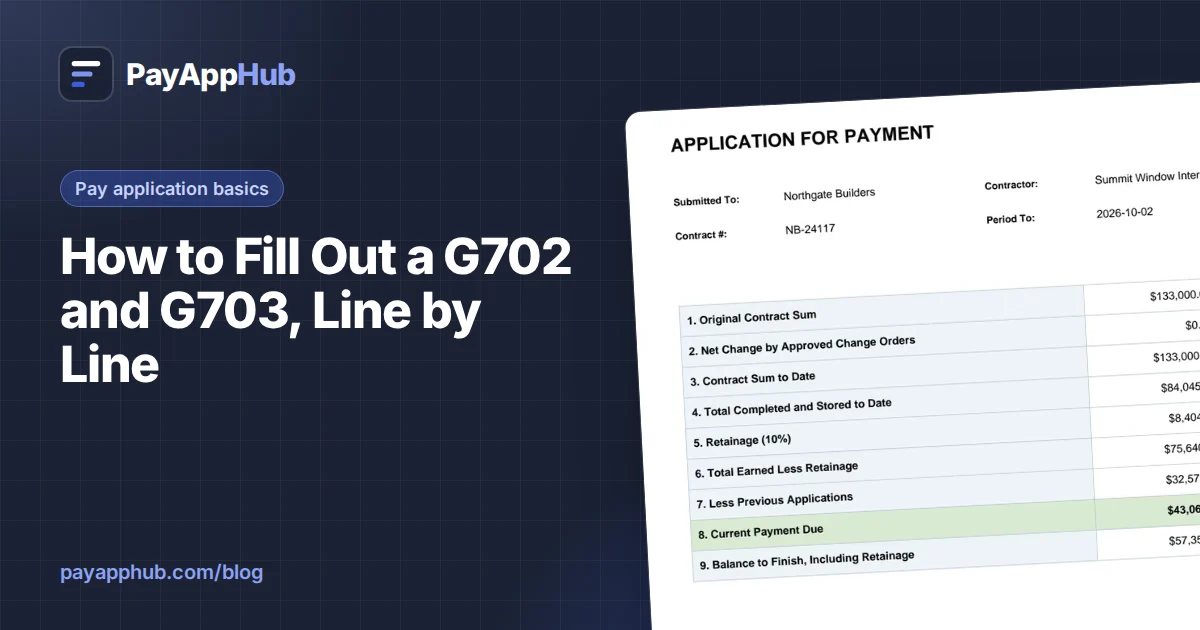
The G702 pulls its totals from the continuation sheet:
- Original Contract Sum. Your signed contract amount.
- Net Change by Change Orders. The total of approved change orders, added or deducted.
- Contract Sum to Date. Line 1 + Line 2. This should match the total of column C.
- Total Completed and Stored to Date. The total of column G.
- Retainage. Usually split into (a) retainage on completed work and (b) retainage on stored material, at the percentages in your contract.
- Total Earned Less Retainage. Line 4 − Line 5.
- Less Previous Certificates for Payment. Line 6 from your last pay application.
- Current Payment Due. Line 6 − Line 7. This is what you're asking for this month.
- Balance to Finish, Including Retainage. Line 3 − Line 6.
The bottom half has a change order summary (additions and deductions approved in previous months and this month), your signature, and, depending on the project, a notary block and the architect's certification.
The mistakes that get pay apps rejected
- Line 7 doesn't match last month's Line 6. The GC will catch it every time. Always start a new pay app from the last approved one.
- Wrong period dates or application number. Pay apps are numbered in order. Skipping a number or reusing one causes confusion in the GC's accounting.
- Billing ahead of work. If column E is ahead of what the superintendent sees in the field, expect a call and a revised pay app.
- Missing backup. Many GCs want lien waivers, stored-material invoices or certificates of insurance with every application. Ask what they require before the first one, not after it bounces.
- Retainage math. Check that your percentage matches the contract, and whether retainage applies to stored materials.
Make next month easier
The real work in pay apps isn't the first one, it's every month after. Each new application has to carry forward exactly what was billed before. That's why it pays to keep your pay apps in one place, built from the same schedule of values, so last month's numbers roll into this month automatically.
PayAppHub was built for exactly this: set up your schedule of values once, enter this period's progress, and the G702 and G703 math, retainage and carry-forward are done for you. AIA, G702 and G703 are trademarks of the American Institute of Architects; PayAppHub produces its own pay application format and isn't affiliated with the AIA.